How to add DegenPass to your Telegram group
Adding DegenPass takes three moves inside Telegram: open @DegenPassBot and tap “➕ Add to your group”, make it an admin that can delete messages and restrict members, and have an admin send /claim once. Buy alerts and spam protection are then one tap each, from the buttons under the bot’s welcome message.
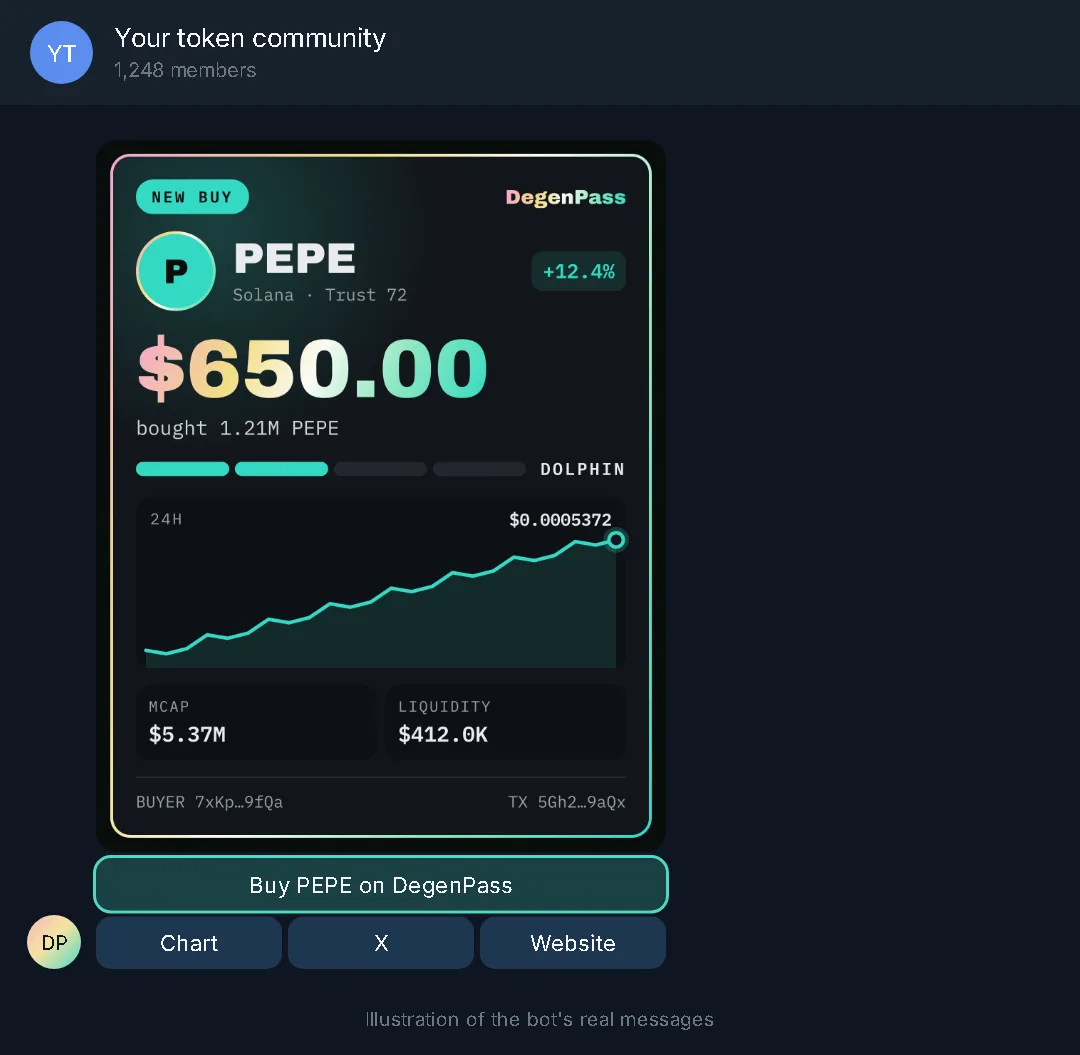
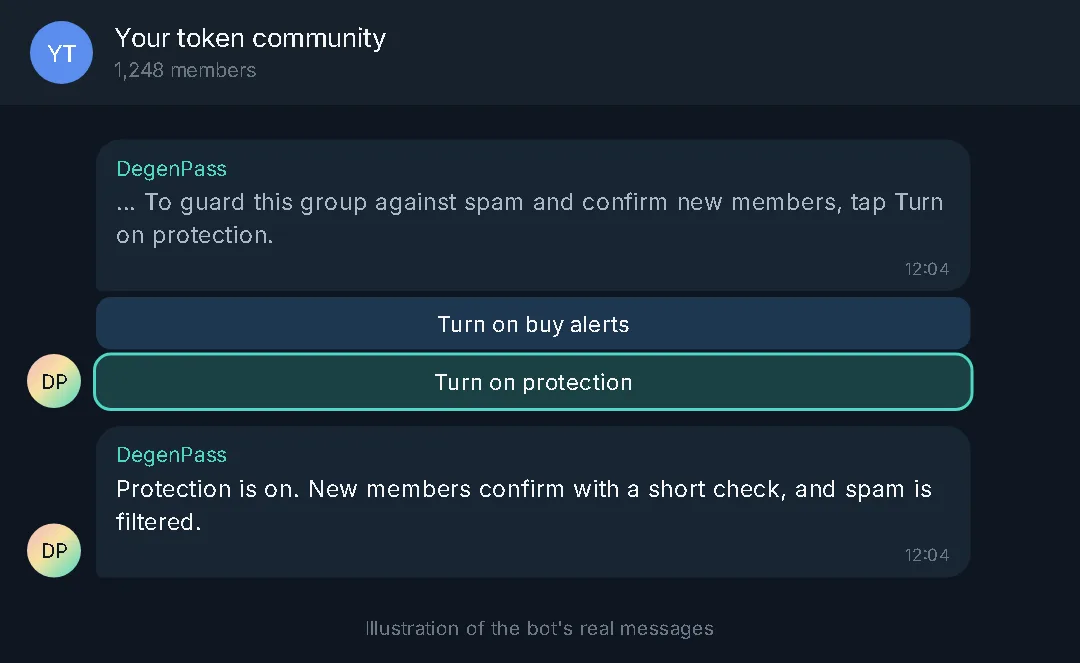
The pictures are illustrations drawn from the bot’s real messages, word for word; the buy card is one the bot’s own card renderer produced. Your group name and numbers will differ.
How do I add DegenPass to my Telegram group?
You need admin rights in the group. The whole setup happens in Telegram and is free.
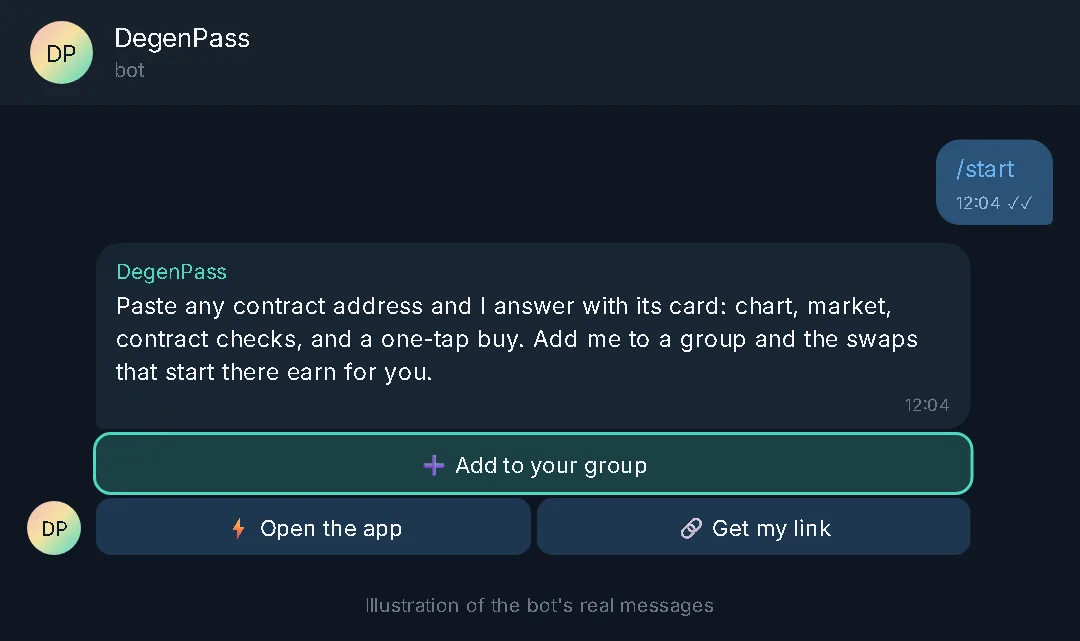
Open the bot and tap “➕ Add to your group”
Open @DegenPassBot in Telegram and send /start. Tap “➕ Add to your group” and pick the group from the list Telegram shows.
Make the bot an admin
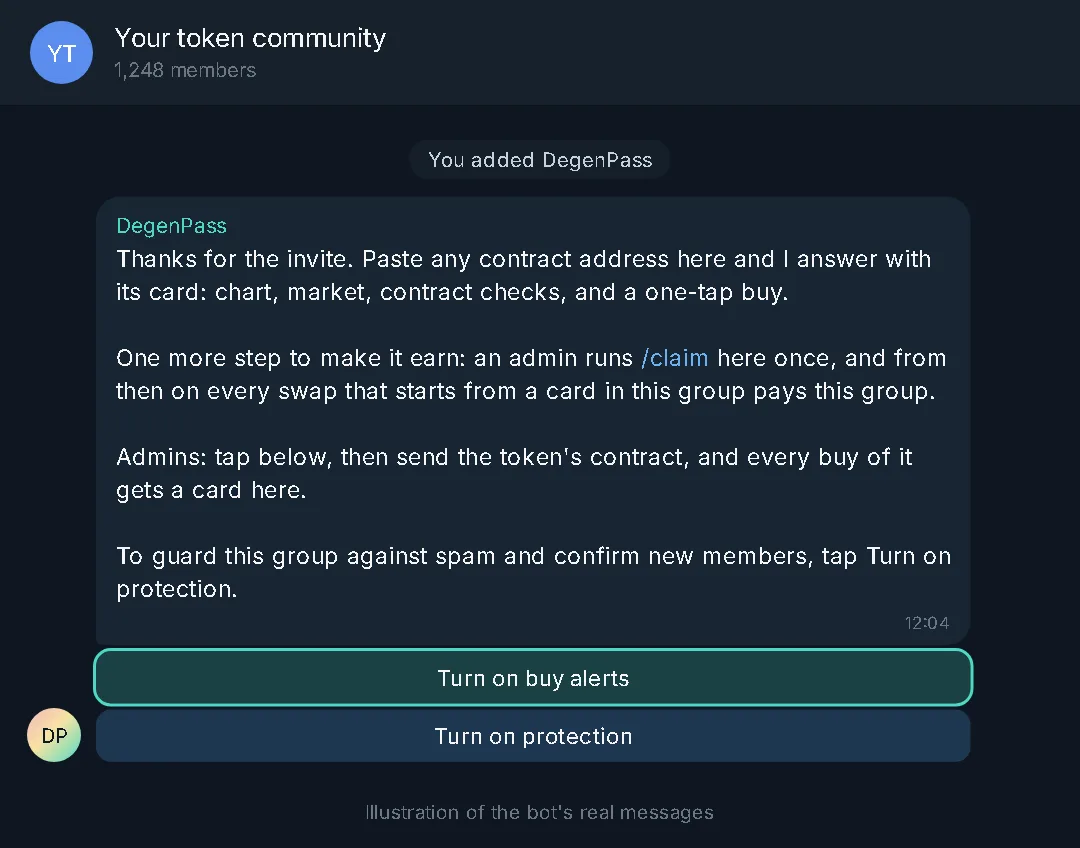
Give DegenPass admin rights to delete messages and restrict members. It needs them to keep spam out. The bot then greets the group with two buttons: “Turn on buy alerts” and “Turn on protection”.
Link the group with /claim
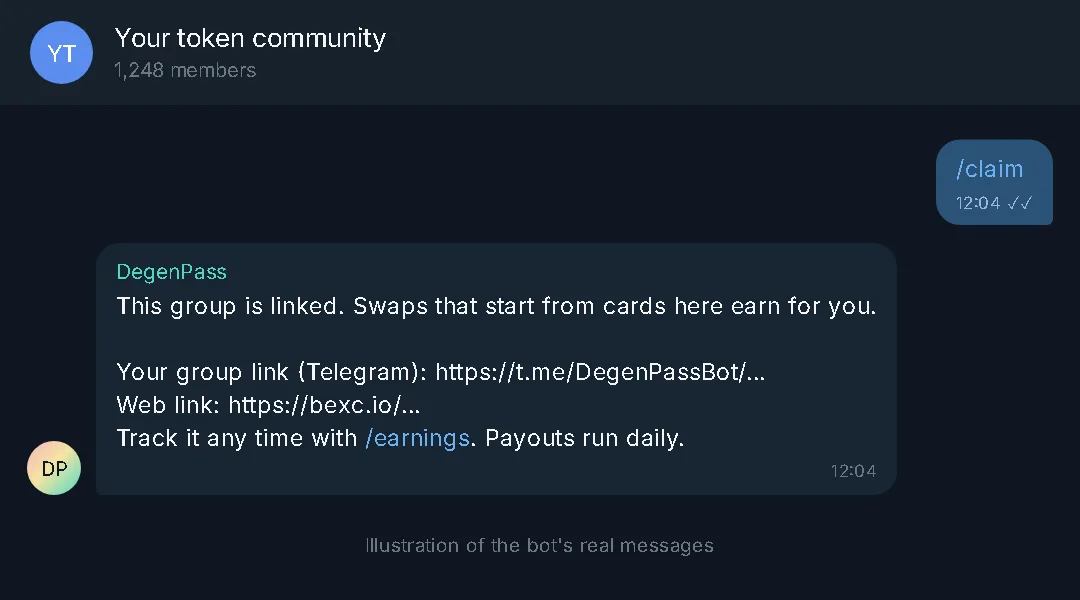
An admin sends /claim in the group once. The bot answers “This group is linked” with the group’s own link, and from then on swaps that start from cards in the group earn for it. /earnings shows what has been credited.
How do I set up buy alerts for my token?
Buy alerts post a card in the group for each buy of your token. Only group admins can turn them on or change them.
Tap “Turn on buy alerts” or send /buybot
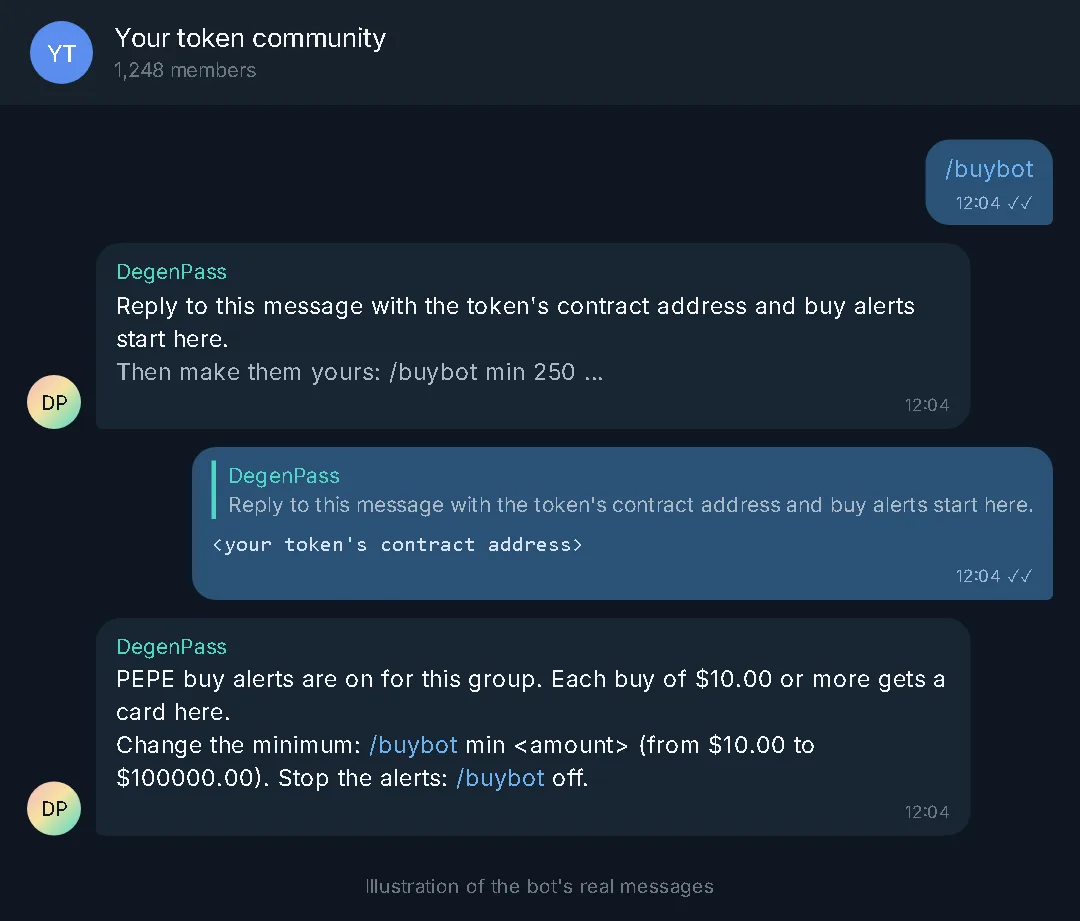
Tap the button under the welcome message, or send /buybot in the group. The bot asks: “Reply to this message with the token’s contract address and buy alerts start here.”
Reply with your token’s contract address
Reply to that message with the contract address, or send /buybot followed by the address in one go. The bot confirms that buy alerts are on and that each buy of $10.00 or more gets a card.
Each buy now gets a card
Every buy above the minimum is posted with the amount, the buyer’s size class, the price chart, market cap and liquidity, and a button that takes members straight into buying the same token on DegenPass.
Make the alerts yours
/buybot min 250 sets the smallest buy that gets a card, and /buybot whale 10000 the size that gets the gold whale card. Reply to a GIF, video or photo with /buybot media to use your own; /buybot link x, web or tg adds your project links; /buybot mark sets the emoji and /buybot style switches between the ticket and classic card. /buybot contest start biggest 24 runs a buy contest, and /buybot off stops the alerts.
How do I turn on spam protection?
Protection is off until an admin turns it on, and the bot needs the rights to delete messages and restrict members.
Tap “Turn on protection” or send /gate on
Tap the button under the welcome message, or send /gate on in the group. The bot answers: “Protection is on. New members confirm with a short check, and spam is filtered.”
Check or switch it off any time
Send /gate on its own to see whether protection is on, and /gate off to turn it off. Admins are never filtered, and contract addresses always go through.
What else can admins and members do?
A few commands cover the rest; none of them needs a wallet.
Scan any token
Paste a contract address in the group, or send /scan followed by it. The card shows the contract checks, liquidity, the trust score and a buy button.
Share a card in any chat
Type @DegenPassBot followed by a contract address or a $TICKER in any Telegram chat and pick the card that appears. The bot does not need to be in that chat.
Change the group’s switches from your private chat
Send /setup to the bot in private and pick a claimed group: auto scan, the daily card and its hour, showing the group’s name, and the minimum market cap for cards.
Follow the group’s first calls
/top lists who called each token first in the group and how it has moved since.
Frequently asked questions
- Why does the bot need admin rights?
- Protection deletes spam and holds new members until they pass the check, which needs the rights to delete messages and restrict members. Without them the bot still answers commands and posts cards, and its welcome message names the rights it is missing.
- Who can turn on buy alerts or protection?
- Only the group’s admins. A member’s tap on “Turn on buy alerts” or “Turn on protection” is refused, and so are /buybot and /gate changes from a member.
- What is the smallest buy that gets a card?
- It starts at $10.00. An admin can raise it with /buybot min followed by a dollar amount, up to $100000.00.
- Does adding the bot cost anything?
- No. Adding it, buy alerts, protection and scanning are free. Byte Exchange earns from the trading fee on swaps made through DegenPass, and a share of that fee goes to the group the swap started in once the group is linked with /claim.
- Is this the official DegenPass bot?
- The official handle is @DegenPassBot, published at bexc.io/degenpass/bot. The official bot never asks you to connect a wallet, paste a seed phrase, sign a message or run code.